.png)

Release Update
Simulation improvements
We've introduced a new feature for the Simulate button that lets users adjust filter settings before running a simulation. To access this, hover over the Simulate button (as shown below) and choose from the two available options in the pop-up menu:
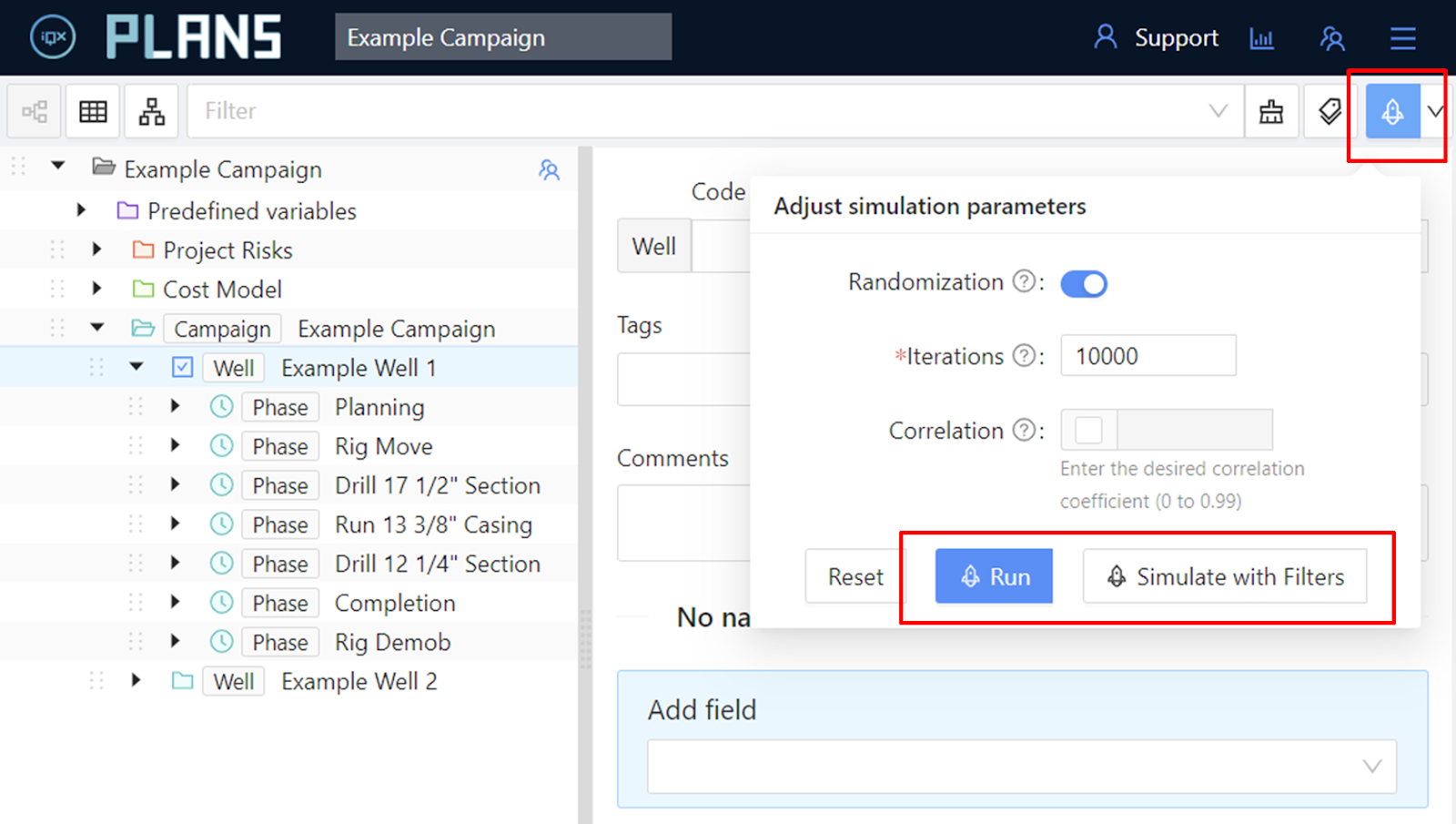
Run: Start the simulation with current settings, or modify parameters through the pop-up menu while staying on the current tree view page. For detailed simulation reports, head to the 'Simulations' section.
Simulate with Filters: Navigate to the 'Simulations' section to apply filters and breakdown columns before running the simulation. This helps streamline the process and avoid the need for resimulation after adjusting output conditions.